Ramus Labs
Index / 05 / Frame Storyboard
From idea to filmed video with Frame Storyboard · Plays from YouTube when you click. Watch on YouTube

Frame Storyboard

Plan your videos scene by scene, then read them off a teleprompter.

Write scripts for videos and talks as scenes and beats, with stage directions, places and props. Frame packs per place, so you know what to bring, and shows each scene on a teleprompter while you shoot, advanced with a foot pedal or a key. No account; your scripts stay on your device.

App Store Google Play Download (coming soon)Open in browser (coming soon)
§ 05.1

What it does

  1. 01

    Scenes and beats

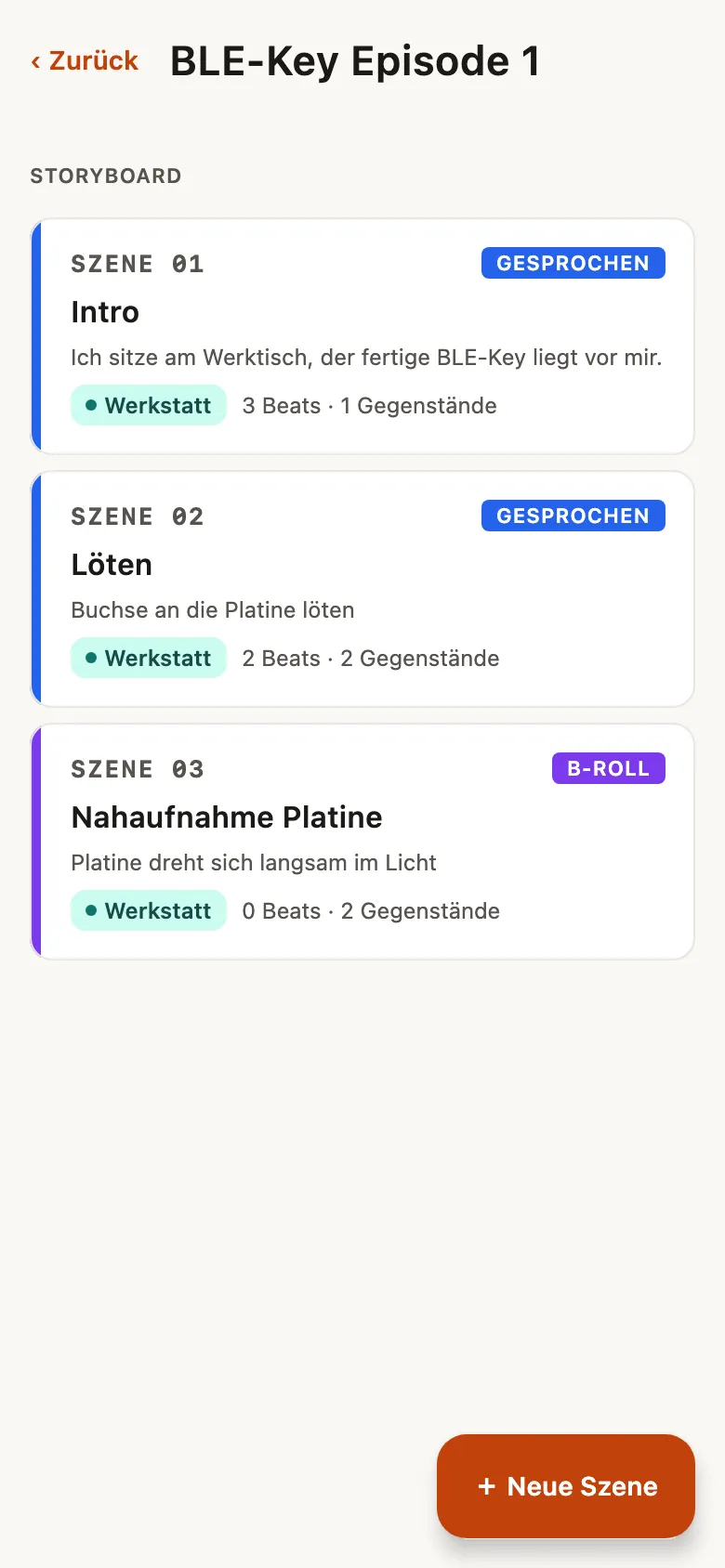
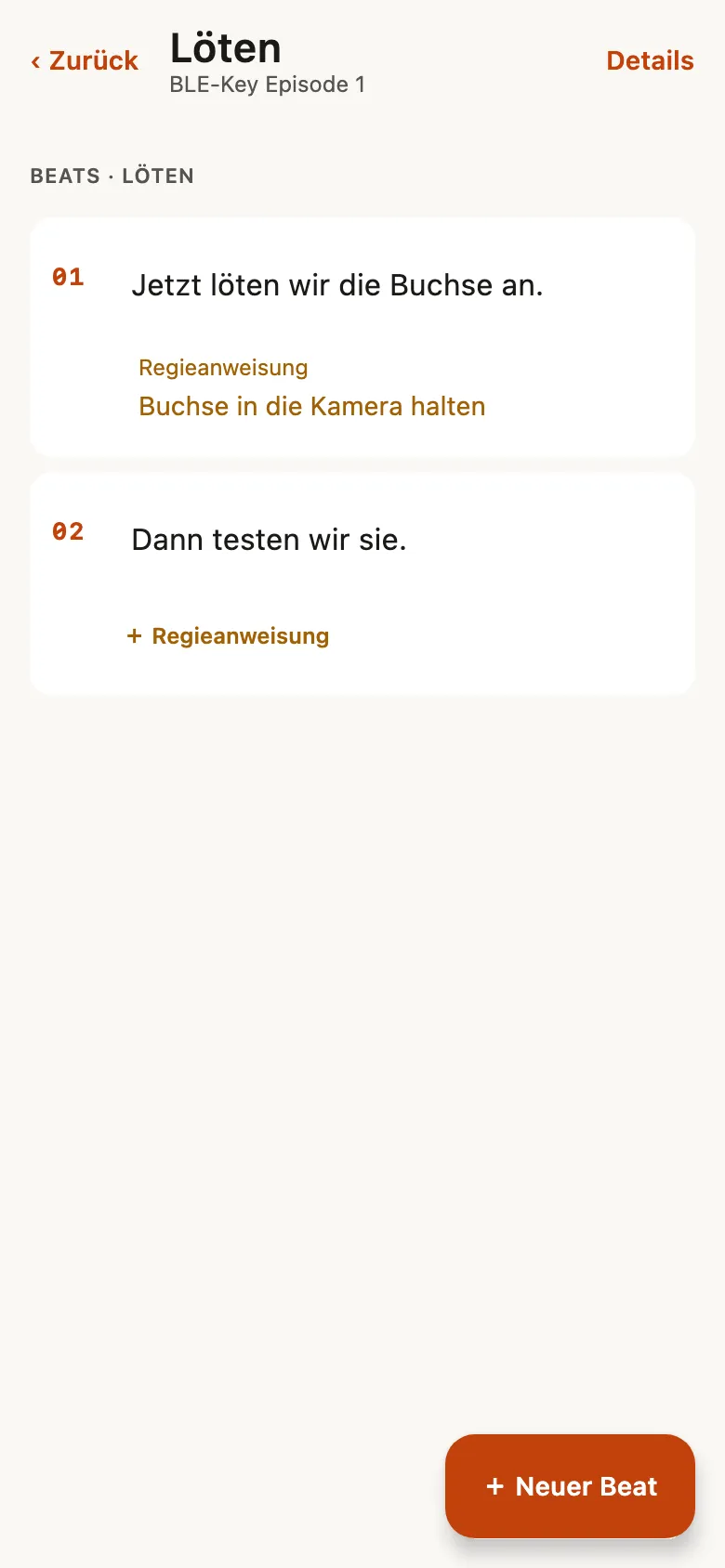
    Break a script into scenes and each scene into beats, the lines you say, with stage directions in between.

  2. 02

    Packed per place

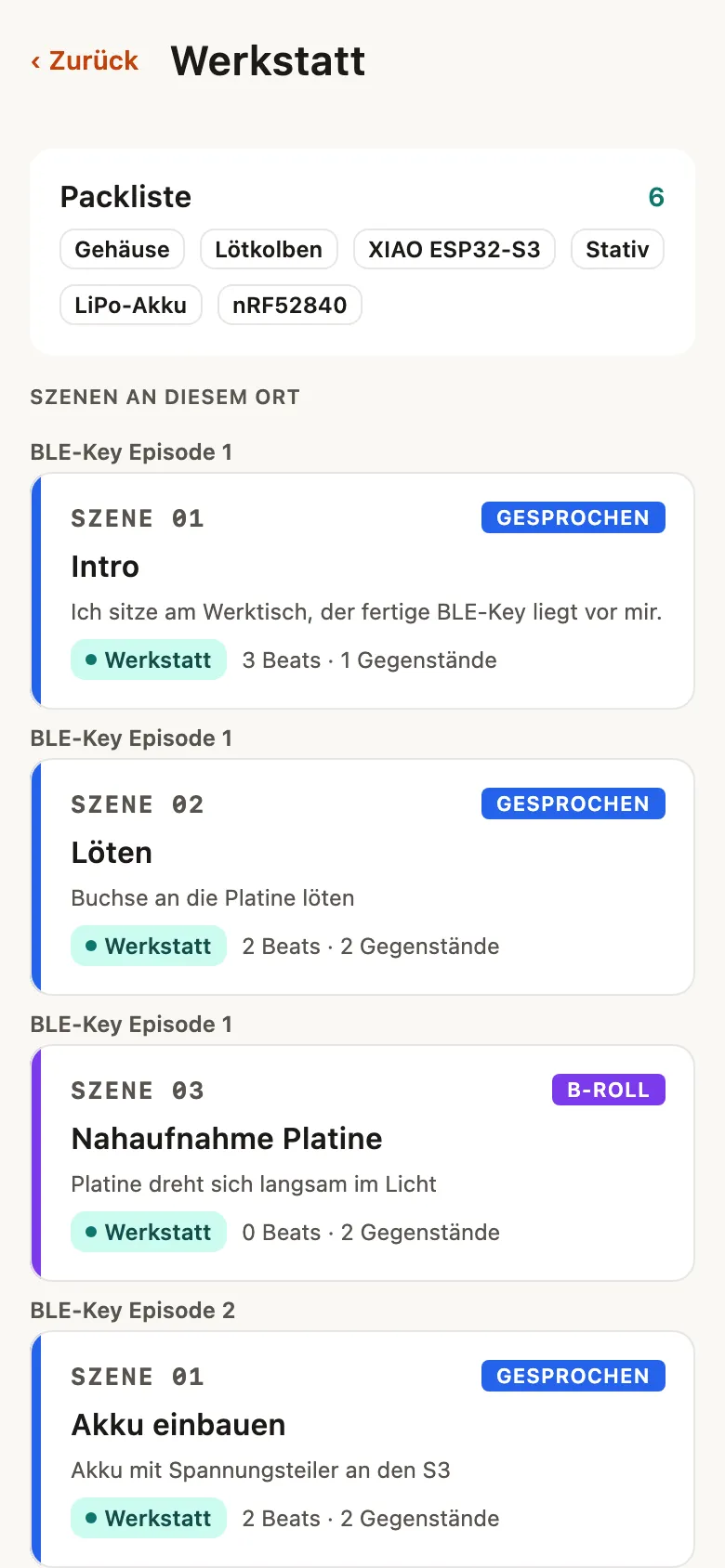
    Give scenes a place and props, and Frame lists everything you need there across all your scripts.

  3. 03

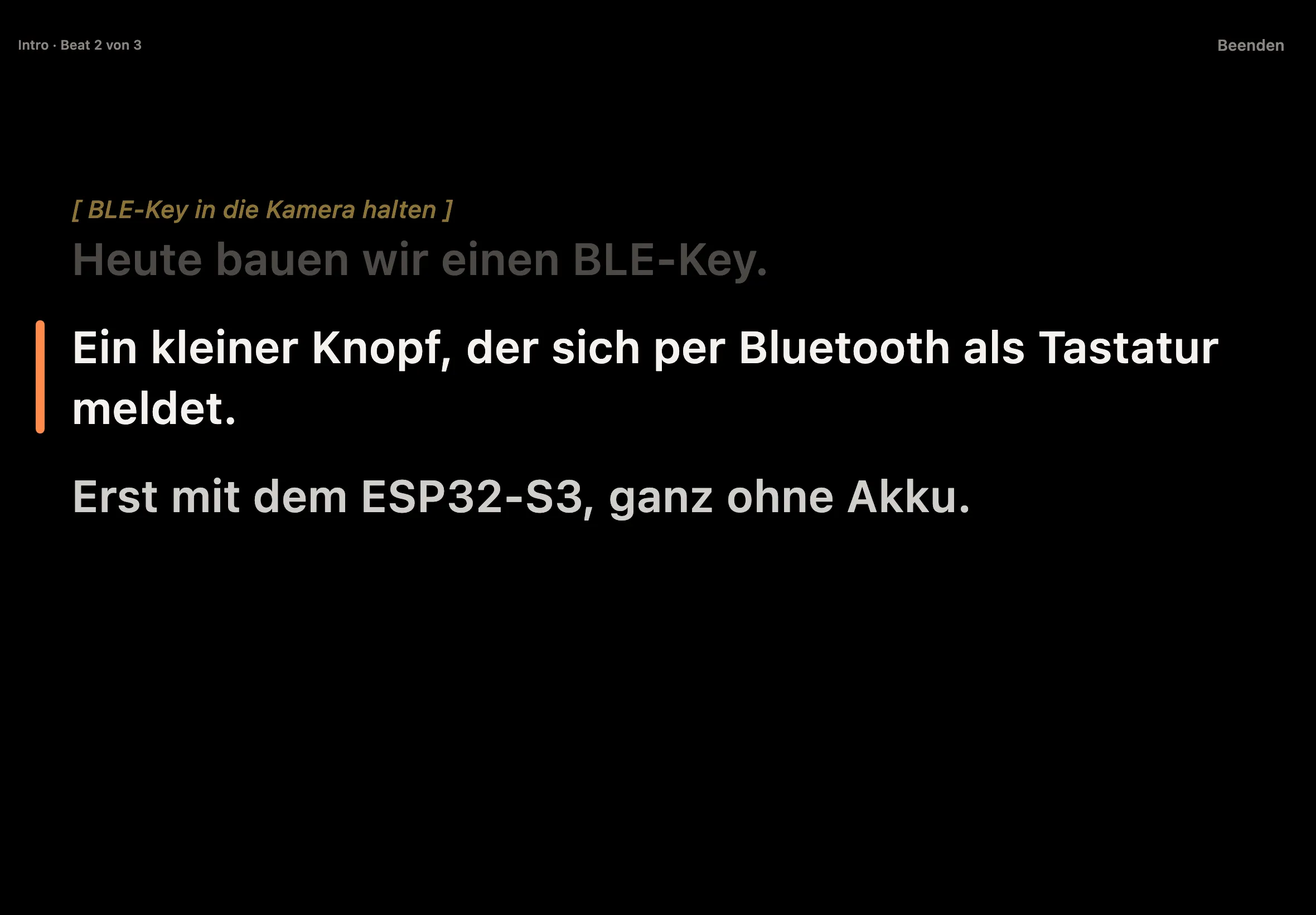
    Teleprompter with a foot pedal

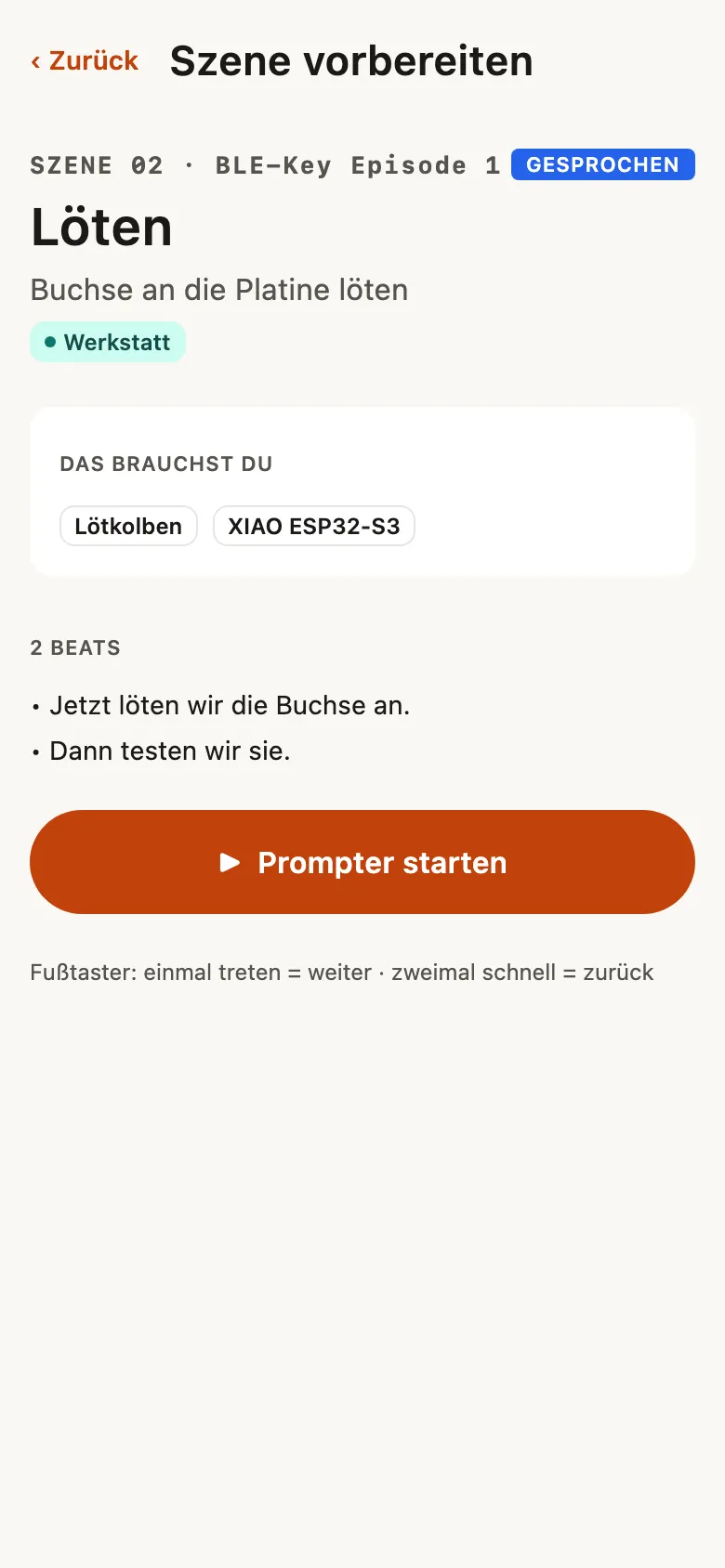
    Read the scene while you film. Tap the pedal once for the next beat, twice to go back; a key works too.

  4. 04

    Prompt with the BLE Key

    Connect the BLE Key, our Bluetooth Morse paddle: dit moves to the next beat, dah goes back, holding keeps moving at your reading pace. From Frame 1.1.0.

  5. 05

    Shoot the whole script

    Prompt one scene at a time, or the whole script in one go: “Shoot script” runs through all scenes, each scene’s title between them, and the pedal, the BLE Key and swiping move straight on into the next scene. From Frame 1.1.0 (Android: 1.1.1).

  6. 06

    Your AI agent can help

    A local MCP server lets the AI agent of your choice read and edit your scripts on your computer.

§ 05.2

Screenshots

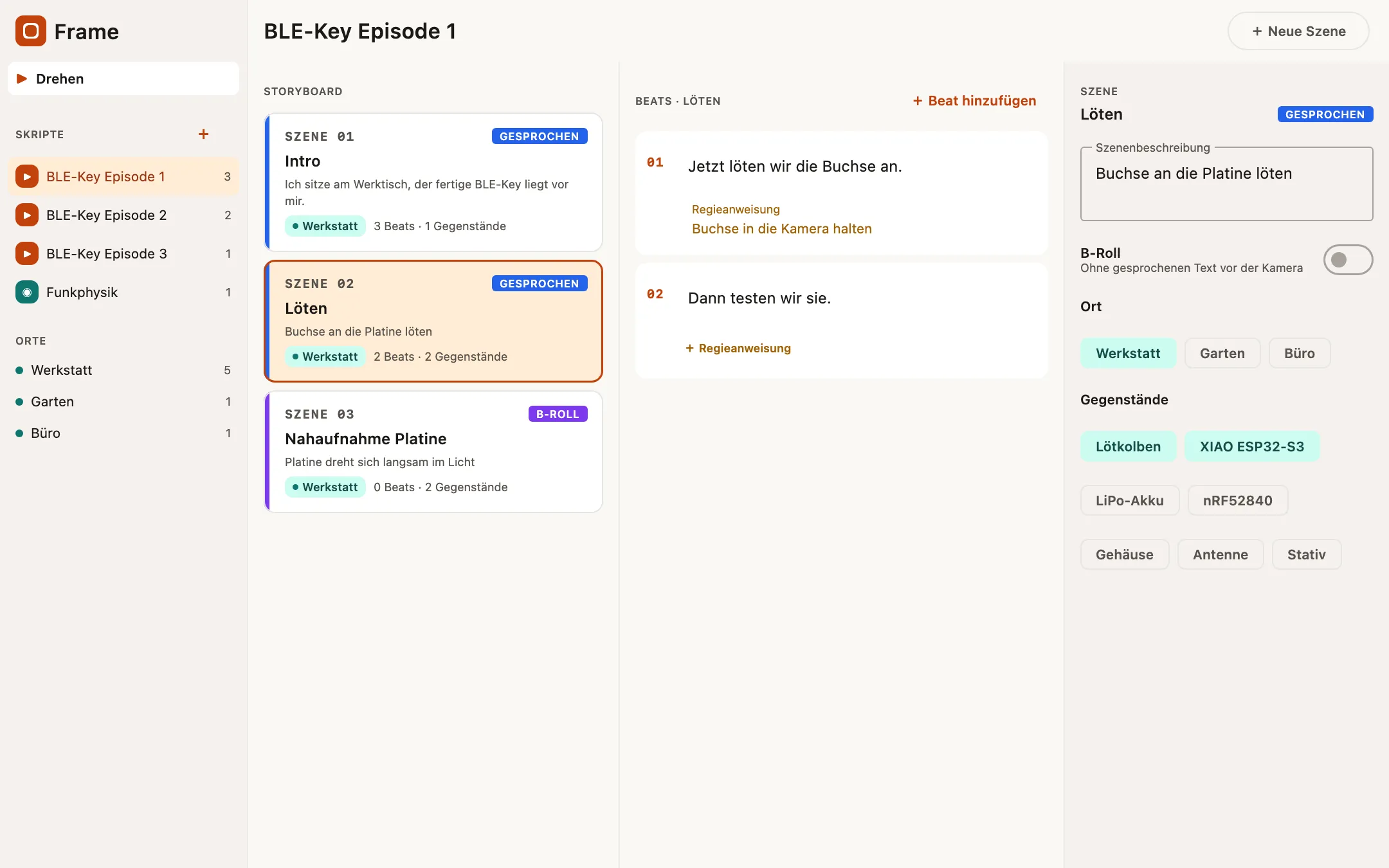
The storyboard of a script
Fig. 1: The storyboard of a script
The beats of a scene with a stage direction
Fig. 2: The beats of a scene with a stage direction
A place with its packing list
Fig. 3: A place with its packing list
Preparing a scene for the shoot
Fig. 4: Preparing a scene for the shoot
The teleprompter on iPad
Fig. 5: The teleprompter on iPad
Frame on the desktop
Fig. 6: Frame on the desktop
§ 05.3

Hardware

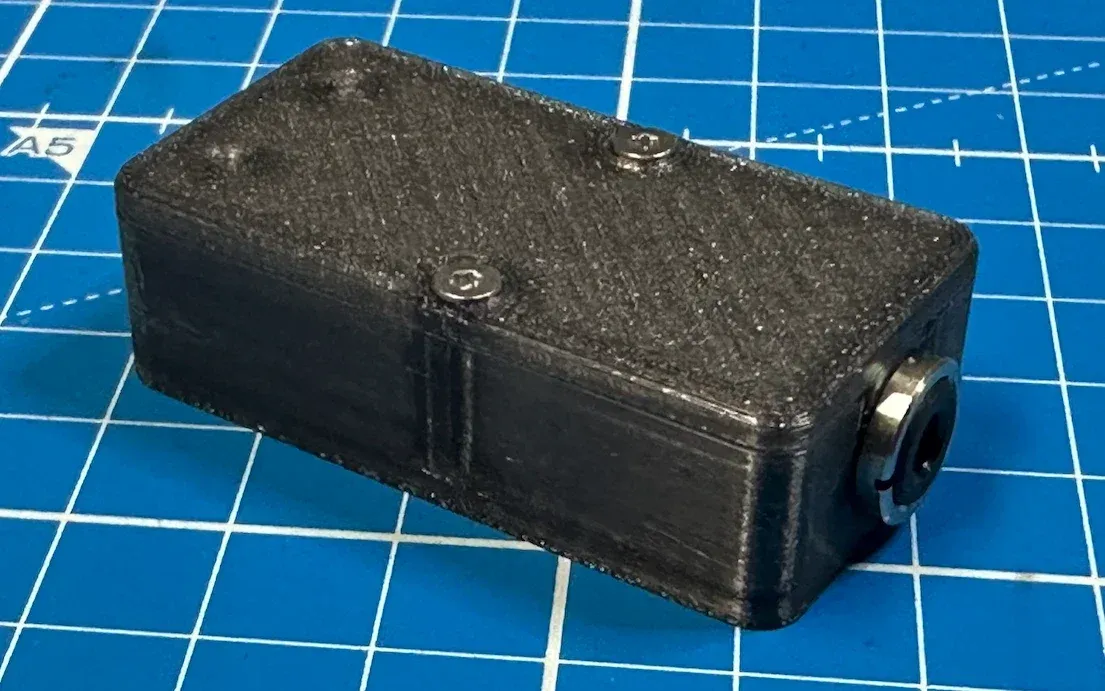
BLE Key
BLE Key

Our Bluetooth LE Morse key interface also moves Frame’s teleprompter, hands-free. Connect it under Settings, “Prompt with the BLE-Key”:

  • Dit moves to the next beat; from the preparation it starts the prompter
  • Dah moves back one beat
  • Holding a lever keeps moving at the reading speed you set in Settings
  • With “Shoot script” it carries on across scenes, from the last beat of one scene into the next

Free in Frame for everyone, on iPhone, iPad, Mac and Android, from Frame 1.1.0 (Shoot script on Android from 1.1.1). Get yours in the Ramus Labs Shop.

Get it in the shop

§ 05.4

Frequently asked questions

QWhat is free?
AOne script with every feature. More scripts need the “Unlimited scripts” subscription, €0.99 a month.
QDoes Frame record video?
ANo. Frame plans and prompts; you film with the camera you already use.
QWhich pedal works with Frame?
AAny Bluetooth foot pedal that sends keys, or the BLE Key from our shop (shop.ramuslabs.com/ble-key).
§ 05.5

Legal